Everything we develop is 100% free without ads for you. if you have any questions you can ask at x @touru9klub or on discord tourubaskara.
This CSS editor was originally made for commission clients — but I’ve decided to release it publicly for free to help you tweak and clean up your chat appearance with just a few simple changes.
- Fade effect for a smoother chat flow
- Remove badge for normal comments
- Remove badge for Super Chat comments
- Remove reaction icons
- Wider chat layout for better readability
💡 We do not store or collect any data that you input into the editor. Everything runs locally in your browser, and your code stays private.
Mugchat offers two integration methods: with StreamerBot and without StreamerBot. Currently, Mugchat is still in development, and we are continuously working to improve its features.
*One of the most important main features is that you can apply your existing custom YouTube CSS directly to the Twitch chat as well, with some configuration through the app.
We may soon open volunteer opportunities to help us test this application, so stay tuned for future updates.
You can check the live chat that we have created through the dummy chat that we have designed in the following link Dummy Livechat.
Update Chat: 20 Mei 2025
now you can try it now directly in this way
-
1
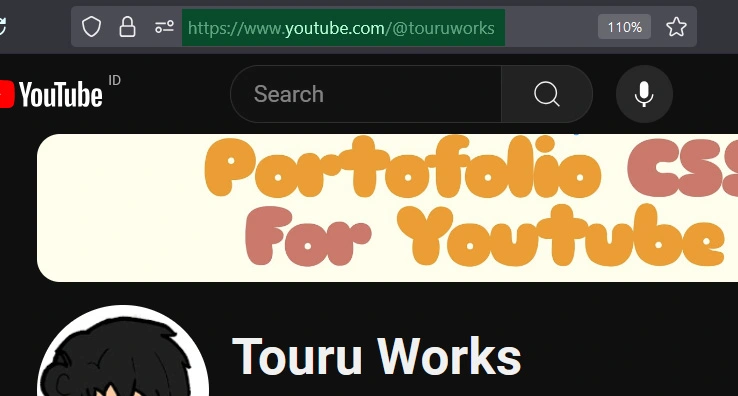
Open Your Youtube Profile
Copy all your YouTube profile URLs as shown in the image below.
-
2
Paste Url Profile Youtube
Please paste your livechat profile url in the column below
Make sure that your URL is valid
-
3
Copy the generated URL to the OBS/streamlabs browser
After you press Generate, copy the URL below to your OBS browser page.
Finish ✨
*this method does not work for unlisted and membership streams